Tiller Money Review (2026): Bank Feeds for $99 a Year
Tiller Money brings bank transactions into Sheets or Excel for $99 a year after a 30-day trial. Compare its feeds with a one-time budget workbook.
By Ultimate Budget Planner by Cosmo Suite · Editorial policy
Published · 8 min read

General information, not financial advice.
Tiller Money is a spreadsheet service that brings transactions and balances from connected accounts into Google Sheets or Excel. It costs $99 per year after a 30-day free trial, according to Tiller’s current pricing page. It fits people who want bank feeds and spreadsheet flexibility. A manual budget file may suit you better if you prefer a one-time purchase or do not want to connect accounts.
Budget is a written plan for how you will use income to cover expenses. Consumer.gov's making a budget guide describes the basic process of listing income and expenses, then tracking spending against the plan. This review focuses on how a tool supports that routine.
This is a source-based review of Tiller's published pricing and feature documentation. It does not claim hands-on testing of account feeds.
Key Takeaways
- Tiller combines connected account feeds with a spreadsheet you can customize.
- Its Foundation Template includes budget views, spending insights, cash flow analysis, and net worth tracking.
- The annual plan is $99 after the trial. That is $297 over three years and $495 over five years if the price stays the same.
- A manual budget file is a different tool, not an equivalent bank-feed service.
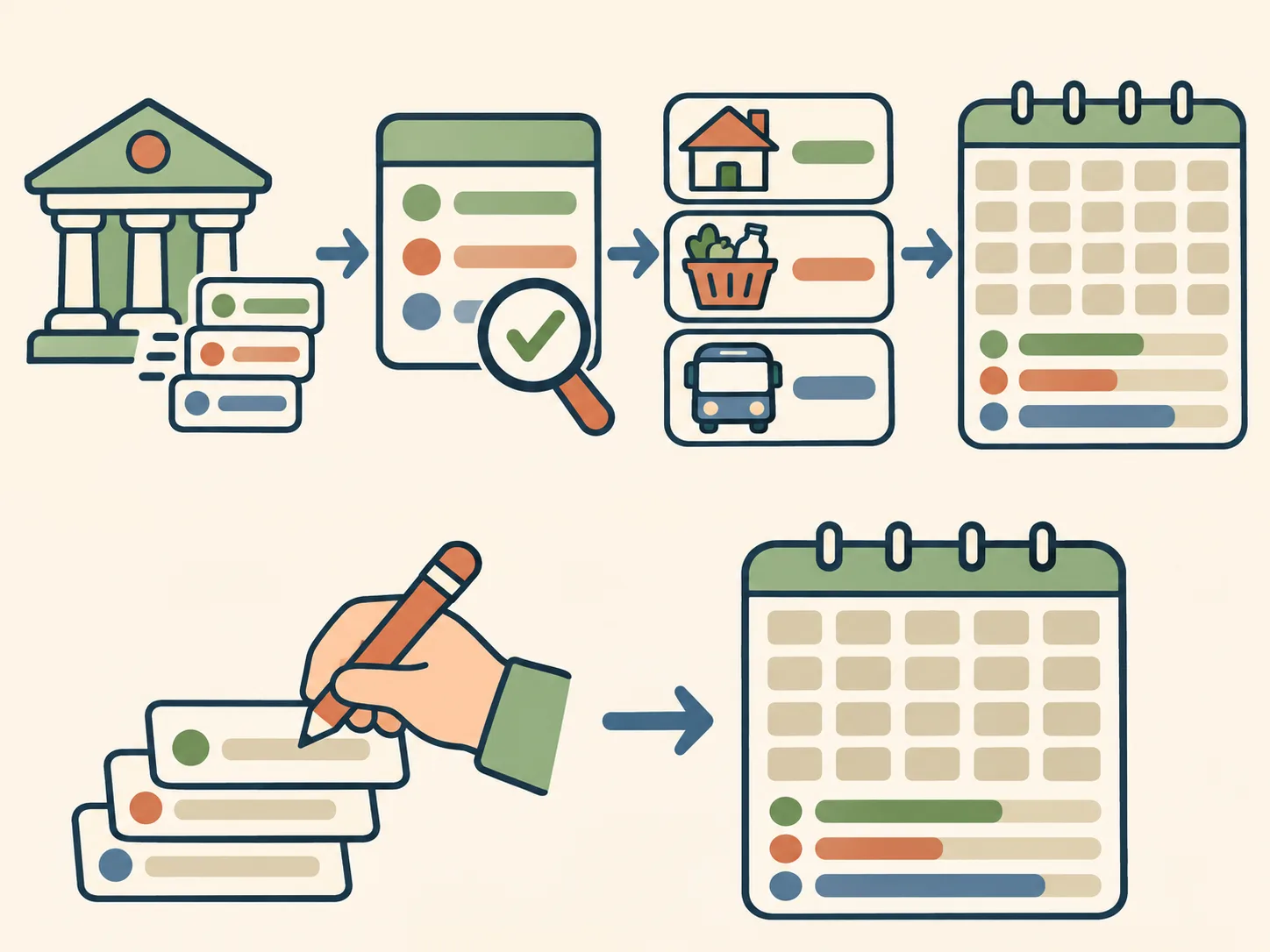
Tiller Money: The Decision Table
Tiller is best for spreadsheet users who want connected financial accounts to populate a workbook. A manual file suits someone who values a ready-made structure and does not need account feeds. Compare that prepared budget layout here.
| Need | Tiller Money | One-time budget spreadsheet |
|---|---|---|
| Bring transactions into a spreadsheet | Connected account feeds | Enter transactions yourself |
| Spreadsheet platform | Google Sheets and Microsoft Excel | Excel and Google Sheets |
| Starting structure | Foundation Template with budget and finance views | A finished set of budget tabs |
| Listed price | $99 per year after a 30-day trial | Ultimate Budget Planner is $9 one time |
| Ongoing routine | Review incoming transactions and categories | Add transactions and use the prepared layout |
| Better fit when | You want feeds and spreadsheet flexibility | You want a fixed purchase and manual control |
Tiller and a manual budget spreadsheet solve overlapping but different problems. Tiller adds an account feed to the spreadsheet. A manual file gives you a prepared layout without that connection. The choice depends on which part of the routine you want the tool to handle.
What Tiller Includes
Bank feed is a connection that sends account transactions and balances into a budgeting workbook. Tiller's help center says it checks connected accounts daily and makes new data available in Google Sheets or Excel. The exact refresh experience can depend on the financial institution, so review Tiller's account and feed documentation before relying on a specific account.
The annual subscription includes Tiller Money Feeds and its Foundation Template. Tiller's setup guide describes the template as including monthly and yearly budget views, spending insights, cash flow analysis, and net worth tracking. The service also lists AutoCat, transaction splitting, templates, and customer support among subscription features.
The spreadsheet format is useful if you want to inspect or customize rows and formulas. It also means there is still a spreadsheet workflow to learn. Bank data arriving in a workbook does not decide your categories or priorities. You still need to review the information and keep the budget aligned with how you plan to use it.
Tiller’s documentation also describes AutoCat for transaction categorization and transaction splitting. Those features can reduce repetitive organization, but a category rule still needs to match how you want to read your spending. A transfer, refund, or split purchase may need a closer look before it belongs in the right budget line. The workbook makes that review visible; it does not remove the decision.
The Worked Month
A connected feed and a budget plan answer separate questions: what transactions arrived, and how much cash is available to assign. Keeping those views distinct helps avoid building a monthly plan from an average that may not match the money in this month's account.
Consider a reader taking home $1,950 every two weeks. In a two-paycheck month, the cash received is $3,900. That is the amount the reader can plan around for that month. The $4,225 monthly average (26 paychecks divided by 12 months) is useful for comparison, but it is not the cash deposited in an ordinary two-paycheck month.
With Tiller, connected transactions can flow into a spreadsheet for review and categorization. You can then compare spending against a budget view. A manual workbook follows the same cash-planning logic, but you enter the transactions instead of relying on a feed.
A three-paycheck month changes the cash available for the plan. At $1,950 per paycheck, three deposits total $5,850. That is $1,950 more cash than the two-paycheck example, so the reader can decide where that deposit belongs after it arrives. The feed records activity; the budget still depends on the pay dates and the reader's plan.
The steps stay separate in either tool: record what arrived, then decide what the cash needs to cover. That matters when a bill is due before the next payday. A feed helps you review posted transactions. It does not move a paycheck date or decide whether a bill should come from this check or the next one.

Neither workflow removes the need to decide what each paycheck should cover. The difference is where the transaction data comes from and whether the account connection is worth the recurring cost to you. For more on budgeting from the cash that arrives, see our budget spreadsheet guide and weekly budget template.
Tiller Pricing Over Time
Tiller's listed price is $99 per year after its 30-day free trial. If that price remains unchanged and you renew each year, the subscription totals $99 after one year, $297 after three years, and $495 after five years.
| Time using the service | Tiller at $99/year | Ultimate Budget Planner at $9 once |
|---|---|---|
| 1 year | $99 | $9 |
| 3 years | $297 | $9 |
| 5 years | $495 | $9 |

This table compares the listed purchase prices, not identical features. Tiller's price includes connected feeds and its subscription features. The $9 file is a one-time purchase with a manual transaction routine. If bank feeds save you enough effort to justify paying annually, the extra cost may be worthwhile. If you mainly need a clear budget structure, you may not need that service.
Tiller offers a 30-day free trial, and its subscription FAQ says your card is charged at the end of the trial. Check the current pricing and cancellation terms before subscribing, since vendor terms can change.
Best for: spreadsheet users who want account feeds and will use them throughout the year.
Costs: $99 per year after the free trial, checked November 12, 2026.
Strengths and Tradeoffs
Tiller's main strength is the combination of spreadsheet flexibility and account feeds. Transactions and balances arrive in a workbook alongside a template with finance views. This can suit people who like spreadsheets and want to review activity without typing every transaction from scratch.
The service requires a subscription after the trial and relies on connected accounts. Feeds also leave you with decisions to make: check categories, set budget amounts, and correct entries when something needs attention.
A manual spreadsheet has a different shape. You pay once and begin with an arranged set of budget tabs. You enter transactions yourself, so it may not fit if reducing manual entry is your main reason for switching.
The tradeoff is easiest to see in a normal week. A connected workbook can bring transactions into the sheet, where you review and categorize them. With a manual file, your routine includes entering each purchase. If you already use a regular check-in to reconcile spending, manual entry may be manageable. If your main frustration is recording transactions, feeds target that friction more directly.
Why Trust This Article
Our review methodology was a desk review of Tiller's pricing page, FAQ, and help documentation, checked November 12, 2026, against Ultimate Budget Planner's listed contents and price. We did not sign up for Tiller or test a connected account, so the review covers documented features and published prices. It makes no claim about feed reliability or personal testing. Read our about page and editorial policy for publisher information and review standards.
Where the Ultimate Budget Planner Fits
Ultimate Budget Planner is a one-time $9 spreadsheet with 28 tabs across four sections, available in Excel and Google Sheets. It is designed as a prepared budgeting file, so it does not provide Tiller's connected bank feeds. You add transactions yourself and use the workbook's layout to organize the budget.
That makes it a simpler match for a reader who wants to pay once for a structured budget workbook and is comfortable entering purchases manually. If you prefer to plan around a prepared workbook, see what is included in the budget planner. Our Google Sheets budget template guide covers a separate way to build a budget in Sheets. If you want a service to bring connected transactions into a sheet, Tiller is the closer fit.
Who Should Choose Tiller?
Choose Tiller if you want a spreadsheet that receives connected transactions and balances, and you are comfortable paying $99 each year after the trial. Its Foundation Template gives you a starting point for budgets, spending views, cash flow, and net worth.
Choose a manual budget file if your priority is a finished layout, a one-time price, and a routine where you enter the transactions yourself. That setup does not provide the same bank-feed feature. It can still be a sensible choice if you prefer to keep the task of entering and reviewing spending in your own hands.
If you are unsure, use Tiller's free trial to see whether its account-feed workflow fits your routine. Before the trial ends, consider how often you expect to use the feeds and whether the annual price still fits your budget. A useful choice is one you can keep using.
The Short Decision
Tiller Money suits spreadsheet users who want account feeds and a customizable workbook. Its $99 yearly price pays for that connected workflow and the included template features. If you prefer a one-time purchase and do not mind manual transaction entry, a finished budget spreadsheet may fit better. Compare the routine and recurring cost before you choose.
Frequently asked questions
How much does Tiller Money cost?
Tiller lists its subscription at $99 per year after a 30-day free trial. The annual price totals $297 over three years and $495 over five years if it stays unchanged.
Does Tiller work with Google Sheets and Excel?
Yes. Tiller says its Money Feeds service works with both Google Sheets and Microsoft Excel, and sends account transactions and balances into a workbook.
Does Tiller automatically track transactions?
Tiller checks connected accounts for new transactions and balances, then makes updates available in a spreadsheet. You still review and categorize transactions as part of your workflow.
Is Tiller free?
Tiller offers a 30-day free trial. After the trial, its listed subscription price is $99 per year.
What is the difference between Tiller and a budget spreadsheet?
Tiller combines a spreadsheet with connected account feeds and a recurring subscription. A one-time budget spreadsheet provides a finished layout, but you enter transactions yourself.
Who should consider Tiller?
Tiller may fit someone who wants bank feeds and spreadsheet flexibility. If you prefer not to connect accounts or pay annually, compare it with a manual spreadsheet workflow before deciding.
Sources
Keep reading
Budgeting Apps
Zero-Based Budget Apps: 4 Picks Plus a Spreadsheet Option
Zero-based budget app: compare four tools by method, annual cost, and paycheck fit, plus a spreadsheet option for people who prefer a file they own.
· 9 min read

Budgeting Apps
EveryDollar Premium: Free vs Paid Features and Who Needs It
EveryDollar Premium costs $79.99 a year or $17.99 monthly. Compare its bank connection, reports, and coaching with the free plan before you choose.
· 7 min read
Budgeting Apps
Rocket Money vs Monarch in 2026: What Each Does Best and What It Costs
Rocket Money vs Monarch: $7–$15 a month against $99.99 a year, costed over 1, 3 and 5 years, plus which job each does best and when a file is enough.
· 7 min read
